




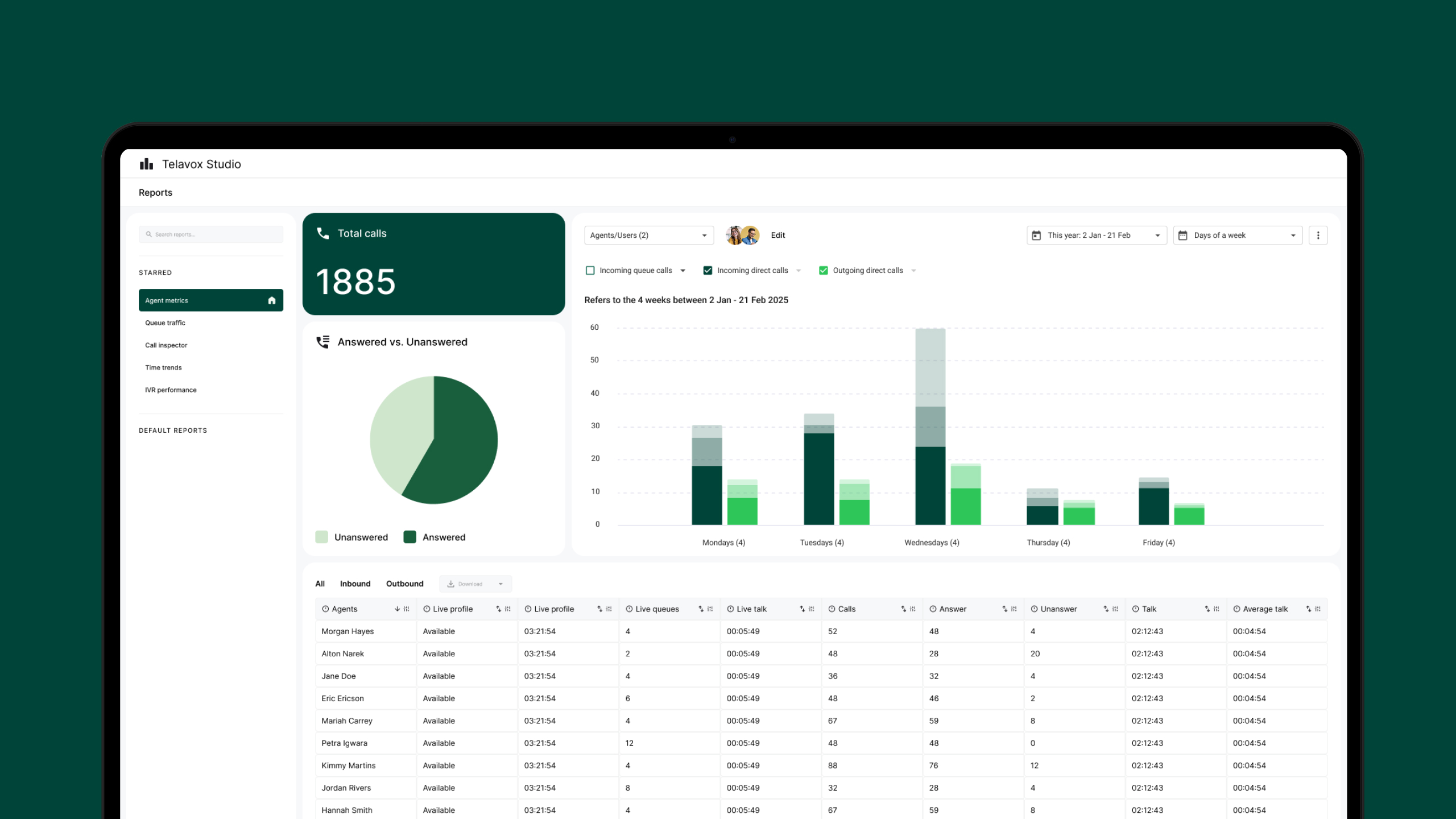
Telavox Studio provides an understanding of how calls move through the business. The current situation is visible in real time and at the same time provides a clear picture of how patterns and changes develop over time.
From overall flows to individual queues and users, a basis is created for follow-up and planning, based on the same call data that is used in ready-made views or made available via the Telavox Studio API.
Statistics based on calls
All statistics are based on how calls are handled through switchboards, queues and users. This provides a coherent and reliable basis that reflects communication in practice.
What the statistics show
The statistics are updated continuously and provide insight into call management. This makes it possible to capture deviations, follow changes and act on what is happening in the business.
Statistics on several levels
The statistics can be followed on several levels, from individual users to groups and overall flows. Load, response times, call length and outcomes become visible and can be followed up.
Users can be included in the statistics and followed at the individual level without having access to the tool themselves.
Two ways to work with the same data
The statistics are based on the same data and are available in two options. Telavox Studio offers ready-made views and reports directly in the service. Telavox Studio API makes it possible to stream raw data to the company’s own analysis tools, where views and reports are configured according to your own needs.
Telavox Studio
For companies that want to work directly in Telavox. Call statistics that are collected and easy to use, together with other functions in the app.
Telavox Studio API
For companies that want to use Telavox call statistics in their own analysis tools, we offer the same data in raw form via API, directly to the tool where you configure views and reports yourself.
Who is Telavox Studio suitable for?
Telavox Studio is used when the telephone is a central part of the work and there is a need to continuously monitor queues, load and availability. It is suitable for teams working with support, customer service, sales or booking and who need a clear picture of how calls are handled, day by day.
Queue statistics
- incoming calls
- answered and missed calls
- calls per queue
- ongoing calls
- calls in queue
- longest waiting time
- average call time
- time before call is answered
- available and busy agents
Agent statistics
- calls per agent
- answered and missed calls
- percentage of answered calls
- total call time
- average call time
- longest call
- time before call is answered
- forwarded calls
Time and volume trends
- call volume over time
- answered and missed calls
- load during the day
- number of ongoing calls
- average call time
- availability
IVR statistics
- calls per menu option
- answered and missed calls
- percentage of answered calls
- call time
- waiting time
- redirections
- call forwarding
Get started
- Administration permission required.
- Tracking at the individual level requires the Stats Tracked User add-on.
- Statistics are collected independently of the device.


