Plan custom events and holidays in your switchboard. Save time by applying changes in bulk and ensure that your IVRs and queues are always up to date with the correct opening hours.

Make it easy to keep customers informed via SMS before, during, or after an incoming call.

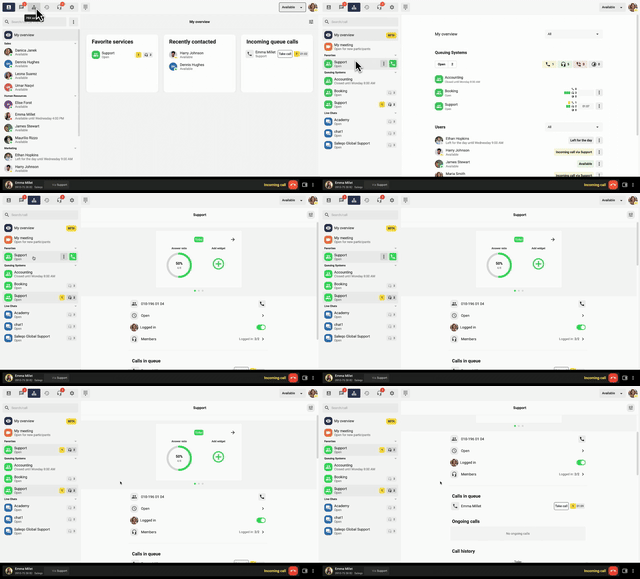
My overview, located under the switchboard tab in our softphone, provides an overview of your queues and agents, including the number of calls in the queue, logged-in and available users, and the longest waiting time.

The connectivity feature allows you to easily connect our telephony with devices such as conference phones, analog fax machines, or door phones.

View and manage your availability in our app to ensure correct call handling both internally and externally.

With button options (IVR), customers can navigate your phone menu by pressing buttons to quickly reach the right department or service. This streamlines call management and improves the customer experience.

Do your agents need time to process a case after a call has ended? Activate an automatic wrap-up time after each call. It works just like the "Pause profile" function, the difference is that the pause is activated automatically after each completed call, so that there is enough time to complete the previous case.

Transfer calls directly in the app on your mobile or computer – quickly and easily, even when you're on the go. Talk to your colleague before forwarding the call, or transfer it directly.

Automatically display more information during a call. Create and customize your widget to suit your needs.

Would you like a group with members who receive calls after another group has not answered within a certain time? Then you can use the delayed response group function and customize who should be called and when.