




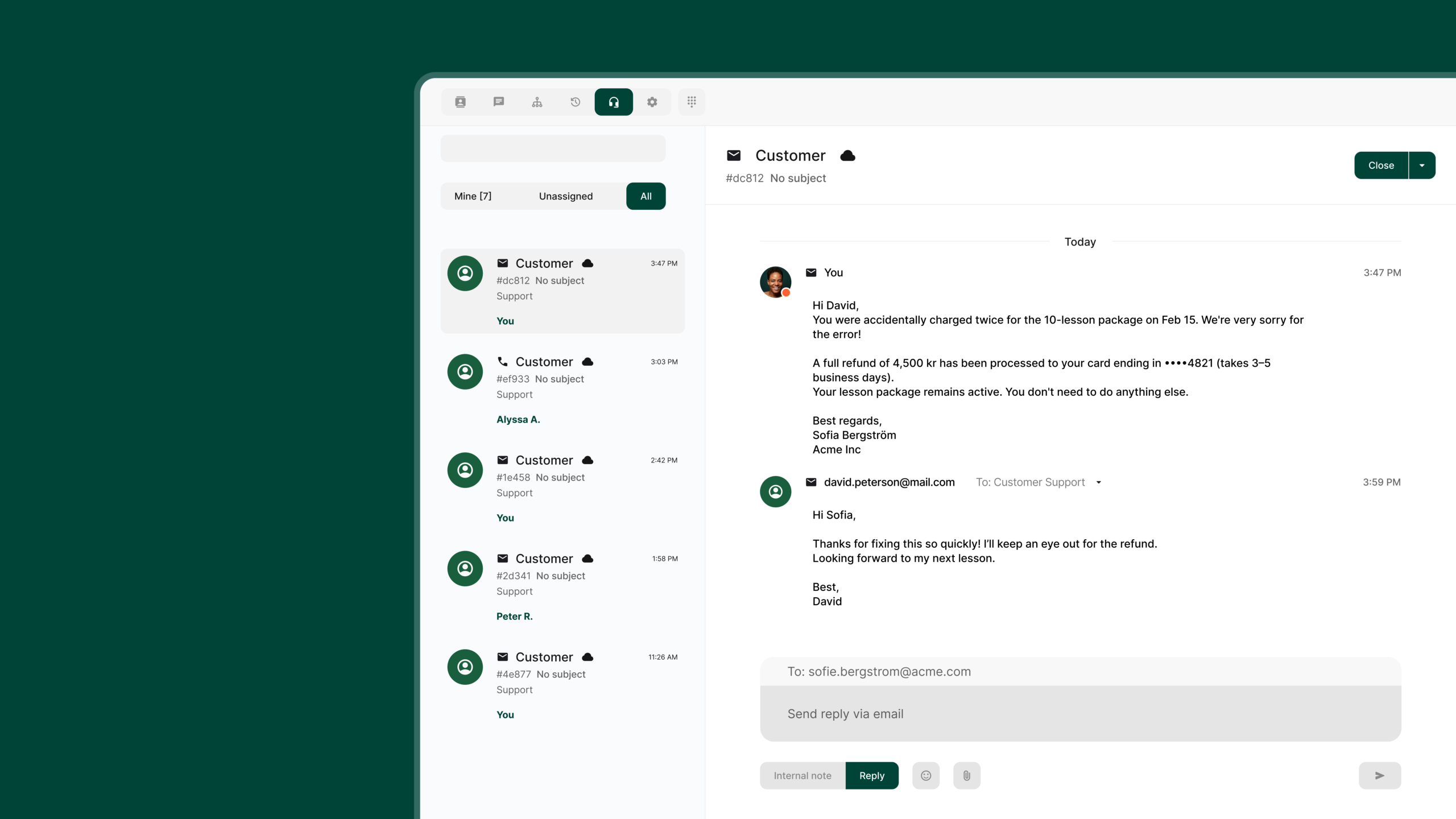
Manage all support tickets in one place. With the Microsoft Outlook integration connected to our Tickets, all customer contact is gathered in a shared view together with phone calls and WhatsApp messages. You get a better overview, faster responses, and smoother team collaboration.
How Tickets with email works
With our ticketing solution, every incoming call, email and WhatsApp message automatically turns into a ticket. Following up is much easier, and your team has everything in one single app.
When someone sends an email to your support email, a ticket is automatically created in the Telavox app, and you can see it directly in your switchboard queue or under your collected tickets. And you handle it exactly the same way as a regular incoming call.
You can leave comments on the ticket, reply to the customer directly, or loop in a colleague if you need help handling the ticket. Inside the ticket, you see the full history with the customer. AI helps you automatically tag the topic and create a summary. This gives you a clear overview and fast, efficient ticket handling.
This is what you get with your email connected to our Tickets
- All channels gathered
Manage all tickets regardless of whether they come in via email, call, or WhatsApp message in the same view without switching between different systems. - More efficient teamwork
Assign, reassign, and follow up on tickets easily. Add internal notes and involve colleagues without the customer seeing the internal dialogue. Reply to the customer directly from the Telavox app. - Clearer customer history
All conversations from the same sender are gathered in one and the same thread for full context in every ticket. - AI saves you time
AI helps summarize long conversations and suggests relevant tags for faster handling. - Work where you already are
Everything happens directly in the Telavox app, whether you are logged in on desktop, in the browser, or on your mobile. - Secure Microsoft integration
Connect your email via Microsoft Entra/Azure and get the information via Microsoft’s API without moving or deleting emails in Outlook.
Key features
- Incoming emails automatically become a ticket.
- Reply directly in Telavox with support for TO/CC and attachments
- Write internal notes and loop colleagues into the ticket with @-mentions
- AI helps you summarize and categorize the dialogue by topic.
- Search for tickets by phone number, subject line, or ticket ID
- Full support for iOS and Android
Get started here:
Microsoft email integration for Tickets


