





Discover our AI Receptionist. Always ready for your customers.

Full control of your statistics
with Telavox Studio

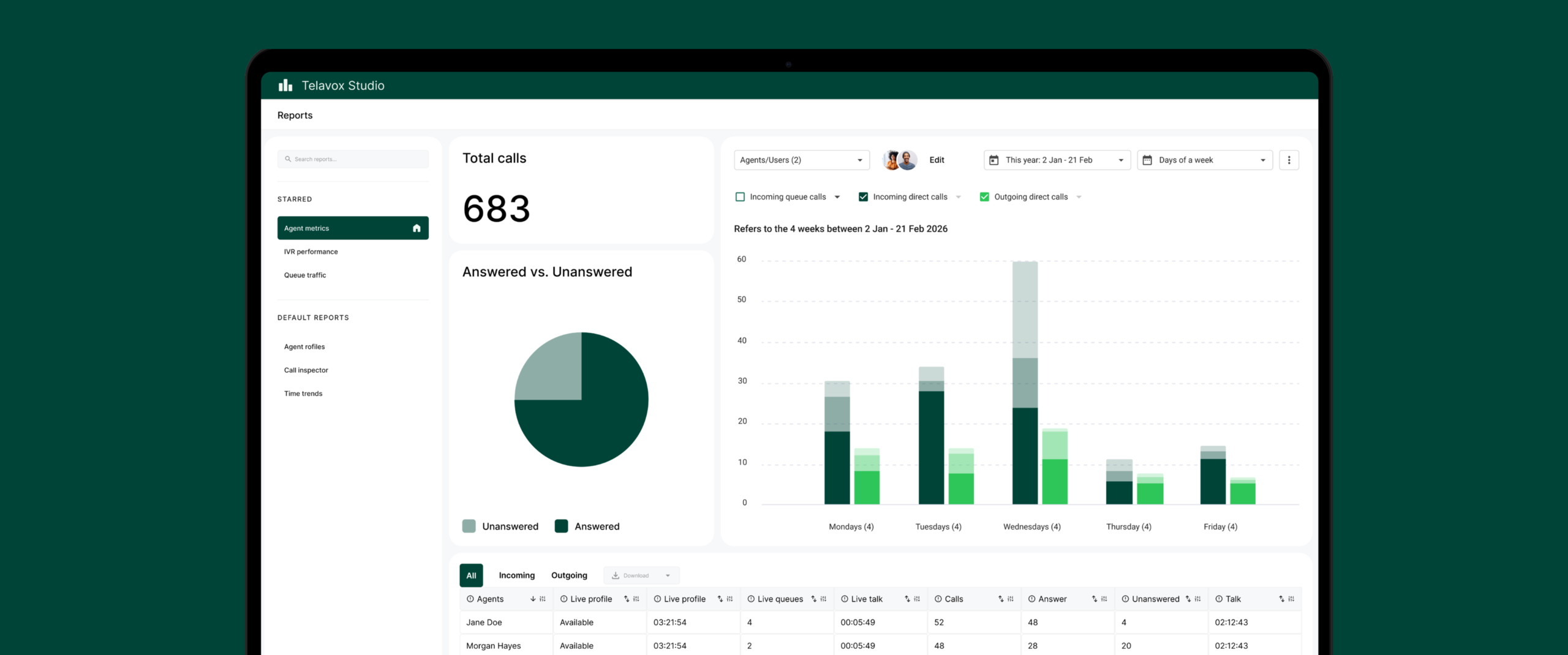
Telavox Studio provides full insight into your calls, queues, and team members. You can see what is happening right now and look back at historical data. You can easily identify patterns over time and avoid making decisions based on gut feeling. Fast, clear, and accessible.

Studio directly in the app

With Telavox Studio, you get all essential call statistics directly in the Telavox app. Log in and get started without extra systems or complicated installation. You can view queues, missed calls, response times, and team activity both in real-time and historically. It is perfect for managing staffing and opening hours without guesswork. You can easily filter, drill down into the numbers, and extract exactly what you need.

Studio integrated into your systems

With the Studio API integrated into your own systems, you can easily send your call data to platforms such as Power BI or Tableau. You receive the same statistics, but within your existing dashboards and report flows. This allows you to connect call data with CRM, cases, or sales to see what each call actually means for the business. You gain full control over how data is stored, used, and visualized.


How Telavox Studio works

All call statistics in one place

Keep track of load, queues, response rates, and missed calls in a clear view within the app. See what is happening live or compare with previous periods.

Follow the customer all the way from the incoming call through the IVR and queue. You can see how the team works, which calls are dropped, and where bottlenecks occur.

Monitor where it is quiet and where there is high activity. Move resources to where they are needed and ensure that both queues and colleagues are utilized optimally.

Start with ready-made views in the Telavox app and scale up to more advanced analysis or integrate with the API as needed.