




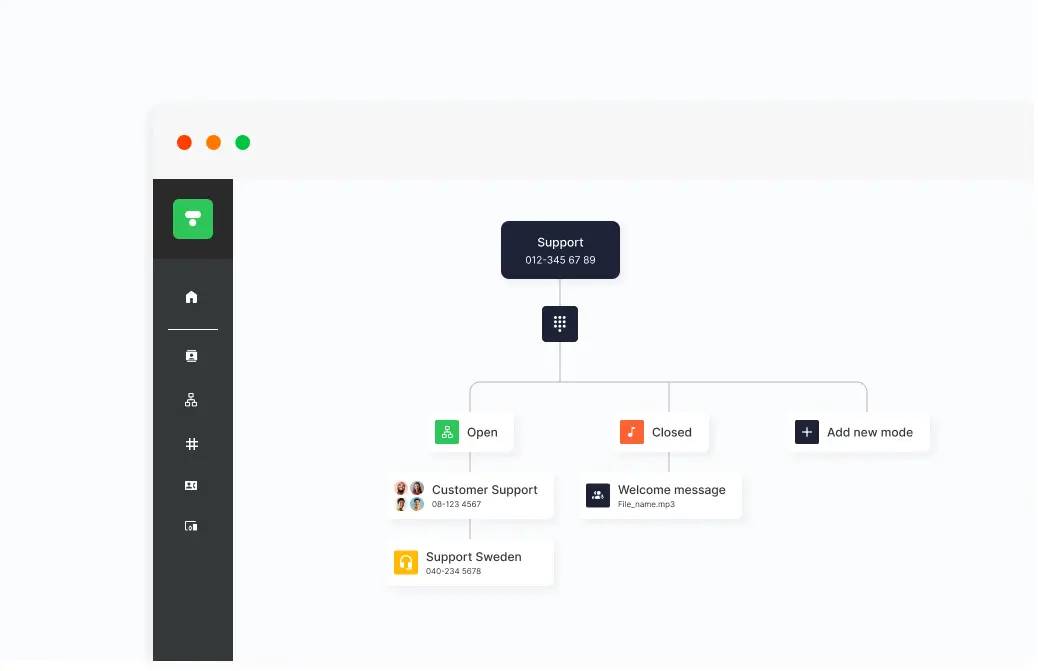
When the workday changes, the PBX needs to keep up. During weekends, vacations, or other days when the office isn’t operating as usual, you can automatically adjust how calls are handled in the Telavox PBX. Calls can be forwarded to the right recipient or met with updated information.
How Schedule your PBX works
Create different PBX modes
The PBX can be configured with several different modes, such as open, closed, or vacation mode. In each mode, you can set how incoming calls should be handled.
Schedule when modes should be active
PBX modes can be activated automatically at specific times and dates. This makes it possible to plan opening hours for holidays, time off, or other days when the schedule looks different.
Add messages for callers
Each PBX mode can include its own voicemail message that informs callers about opening hours or when the company will be available again. The message plays as soon as someone calls.
Tips! A smart way to show opening hours during the holidays is to use the Chat widget on your website.
Customize how calls are handled
Calls can be routed to a queue, a group, or a voicemail box depending on which PBX mode is active.
Combine with employees’ status
Scheduling in the PBX can be used together with employees’ personal status modes.
Get started
Curious what the Telavox PBX can do for your business? Get in touch with Telavox and we’ll tell you more.


